Define the job
Name the project and inspection before creating it. Add scope, client priorities and access limits. Optional survey starting points add guidance without replacing your words.
Projects → inspections → observations → evidence → review → report.
Name the project and inspection before creating it. Add scope, client priorities and access limits. Optional survey starting points add guidance without replacing your words.
Record an observation, its location, severity and status. Start with “Not assessed” until you decide. Keep multiple photographs attached to the same item.
Use the photo editor to point out the detail. Retain the original image and save the annotation with the observation.
Set inspection-wide and photo-specific focus. Generate an AI draft when connected, read it, edit it and apply it. Your saved text stays editable.
Continue your latest unfinished inspection. Search projects, review open items and check sync status before switching devices.
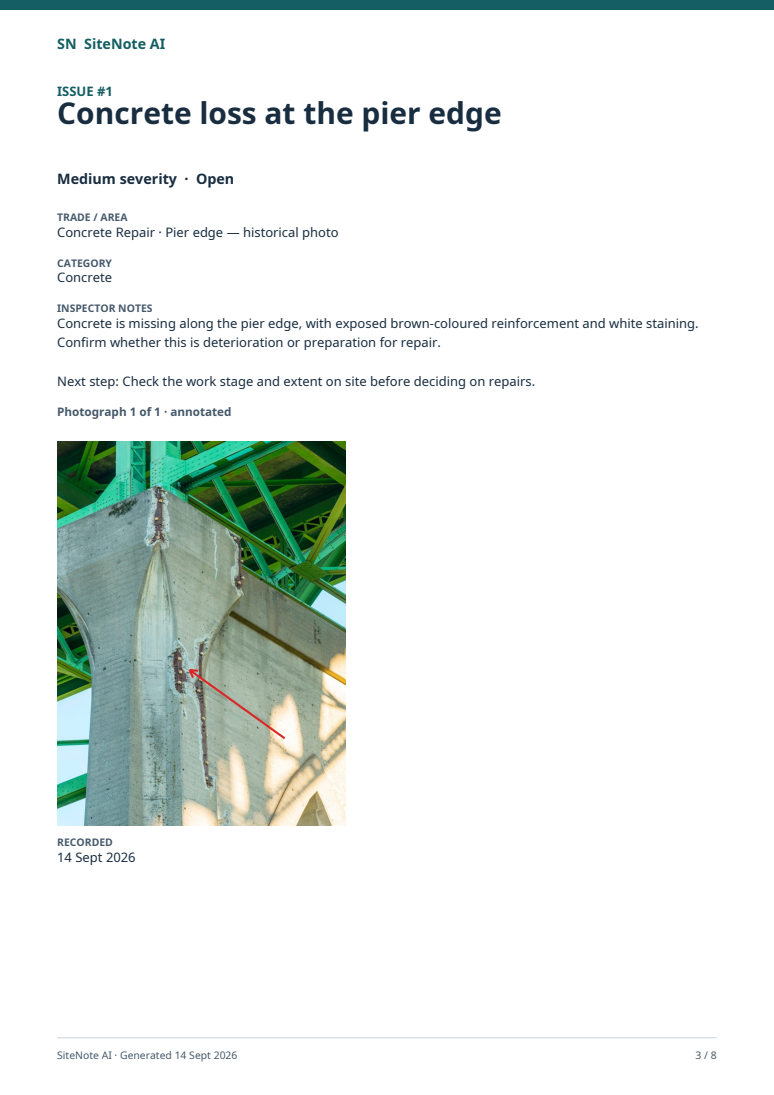
Review the report, export a PDF and share it using your device. Keep observations, photographs, scope, contents and summary together.
Write what you want the report to highlight. Add a focus for each photograph where useful. AI uses both to draft an observation; you decide what to keep.
Review the visible evidence, check unanswered questions on site and add measurements or other facts you have established. AI does not certify safety, diagnose structural behaviour or identify every defect.
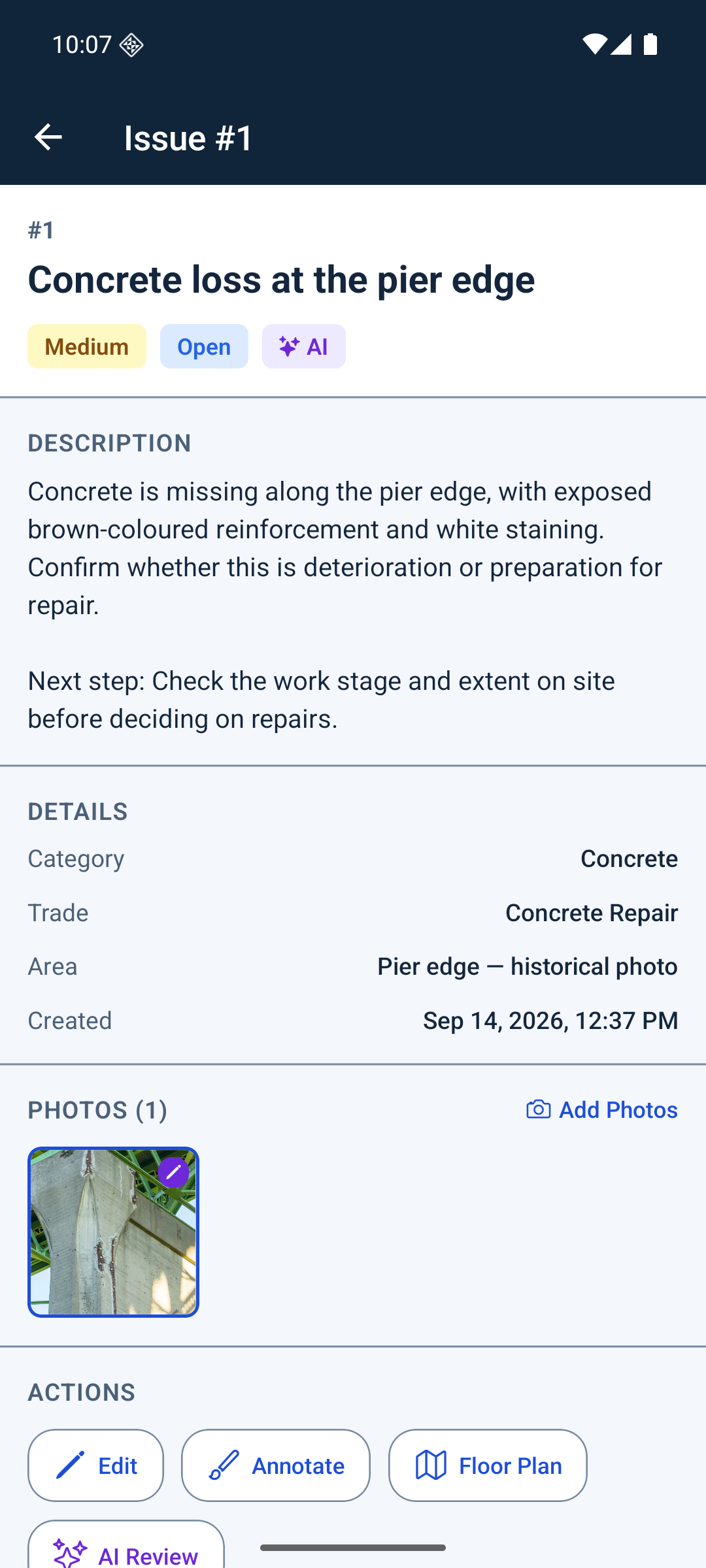
Scope first. Numbered observations, marked photographs and your reviewed notes next. A contents page and summary help the reader find the detail.
8-page demonstration export from the Android app. Historical photos, demo inspector and illustrative notes.
Continue downloaded inspections, record notes and work with locally available photos. Changes wait in the visible sync queue. Check that the records and photos you need are available before leaving a connection.
Sign in, request a new AI draft, download remote photos and sync with the dashboard. The web dashboard needs an internet connection. Reconnect and check the queue before relying on another device's copy.